
Best Tablets for School: Top Picks for Notes, Essays & Online Classes
Brighter Picks guide
Best Tablets for School: Top Picks for Notes, Essays & Online Classes
As an Amazon Associate I earn from qualifying purchases.
Products in this guide


Check the model, seller and latest price on Amazon.
In this guide
Top picksBest overall tablet for schoolBest value iPad for studentsBest Android tablet for school notesBest tablet if you need Windows for schoolBest big-screen tablet for reading PDFsQuick compare (no table)Buying guideFAQsIf you’re buying a tablet for school, I’d focus on battery life (claimed hours) first (so it lasts through classes), then keyboard + pen support (so it can replace notebooks and handle essays).
Top picks
Best overall tablet for school
Apple iPad Air 11-inch (M2) — Best for most students (notes + long-term performance)
Fast enough for years of classes, great for note-taking, and strong keyboard support. Why it wins: performance headroom without going overboard.
Pros
- Great for multitasking and heavier school apps
- Excellent pen + keyboard ecosystem
- Strong long-term app support
Cons
- Accessories can add cost
- Not “full desktop” for every workflow
Who should skip
If you need Windows-only apps, choose Surface Go 4.
Scores: Performance 5/5 • Battery life 4/5 • Ease of Use 5/5 • Value 4/5
Best value iPad for students
Apple iPad 10.9-inch (10th gen) — Best for notes + docs on a budget
A solid everyday school tablet for reading, writing, and video calls. Why it wins: the value sweet spot in Apple’s lineup.
Pros
- Smooth for school portals, Docs/Office, and streaming lectures
- Big, sharp screen for textbooks
- Tons of case/keyboard options
Cons
- Less headroom than iPad Air
- Pencil choice/compatibility can be confusing
Who should skip
If you’ll do heavier creative work, go iPad Air.
Scores: Performance 4/5 • Battery life 4/5 • Ease of Use 5/5 • Value 5/5
Best Android tablet for school notes
Samsung Galaxy Tab S9 FE (10.9″) — Best for handwritten notes + Android flexibility
A strong pick for students who want Android, pen notes, and expandability. Why it wins: a practical school setup with stylus support and storage flexibility.

Pros
- Great for handwritten notes and annotations
- microSD expandability for files
- Useful multitasking features (varies by apps)
Cons
- Not a flagship-performance tablet
- Keyboard experience depends on bundle
Who should skip
If you want the fastest Android tablet money can buy, look at higher-tier models (not this “FE” class).
Scores: Performance 4/5 • Battery life 4/5 • Ease of Use 4/5 • Value 4/5
Best tablet if you need Windows for school
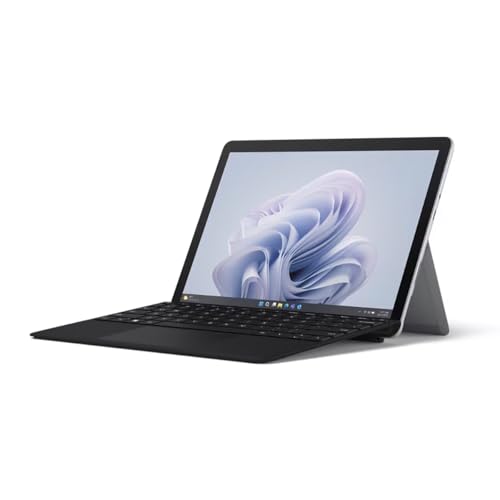
Microsoft Surface Go 4 — Best for Windows-only apps and “real laptop” tasks
If your school requires Windows software, this is the compact 2-in-1 route. Why it wins: Windows compatibility in a small package.
Pros
- Runs full Windows apps
- Great for typing with the right keyboard
- Strong for Microsoft-centric schools
Cons
- Keyboard/pen often sold separately
- Smaller screen than 11–13″ tablets
Who should skip
If you don’t need Windows, iPad Air or Tab S9 FE is usually simpler.
Scores: Performance 3/5 • Battery life 4/5 • Ease of Use 4/5 • Value 3/5
Best big-screen tablet for reading PDFs
Lenovo Tab P12 (12.7″) — Best for textbooks, slides, and split-screen study
If you live in PDFs and lecture decks, the bigger screen helps a lot. Why it wins: large display for split-screen reading + notes.

Pros
- Big screen for reading and multitasking
- Good for media + school combo
- Often strong value in this size class
Cons
- Less portable than 11″ tablets
- Accessories vary by listing
Who should skip
If you carry it all day, an 11″ tablet is usually better.
Scores: Performance 3/5 • Battery life 4/5 • Ease of Use 4/5 • Value 4/5
Quick compare (no table)
- Best overall: iPad Air 11″ (M2)
- Best value: iPad 10th gen
- Best Android for notes: Galaxy Tab S9 FE
- Need Windows apps: Surface Go 4
- Best big screen: Lenovo Tab P12
Buying guide
1) Notes-first students
Pick a model with reliable pen support and a screen you can write on comfortably (iPad Air / iPad / Tab S9 FE).
2) Essay-heavy workloads
Budget for the keyboard case—typing comfort matters more than tiny spec differences.
3) STEM / Windows-required classes
Don’t gamble—go Surface Go 4 if your software is Windows-only.
4) Commuters
Aim for ~11″ for portability and prioritize battery life.
FAQs
Do I need a keyboard?
If you’ll write essays regularly, yes. It turns your tablet into a school laptop substitute.
Which is better for school: iPad or Android?
iPad is usually the safest all-around bet for apps and accessories. Android can be awesome for notes and flexibility if you prefer it.
What storage should I get?
If you store lots of downloaded videos/PDFs, consider more storage—or choose Android with microSD support.