
Best NAS for Personal Cloud Storage
Brighter Picks guide
Best NAS for Personal Cloud Storage
As an Amazon Associate I earn from qualifying purchases.
Products in this guide
Check the model, seller and latest price on Amazon.
A network-attached storage system gives you a central place for computer backups, photos, videos, documents, and media while keeping primary control of the hardware in your home or office. The right NAS depends on whether you prioritize simple personal-cloud features, Plex streaming, faster networking, SSD expansion, DIY flexibility, or large ready-to-use capacity.
Most picks below are diskless, so drives must be purchased separately. The BUFFALO TeraStation is the exception, arriving with hard drives already installed.
Top 7 Picks
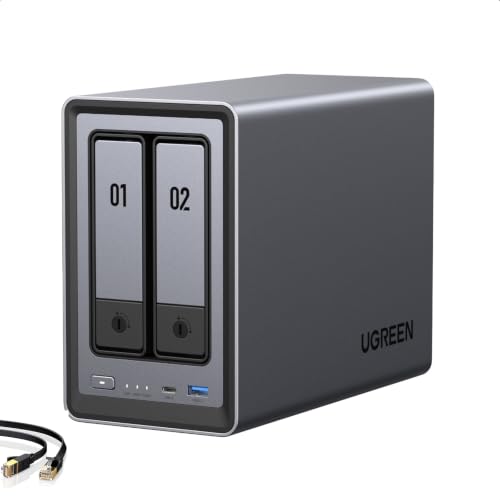
1. UGREEN NASync DXP2800 — Balanced Personal NAS
The UGREEN NASync DXP2800 combines an Intel N100 quad-core processor, 8GB of DDR5 memory, 2.5GbE networking, two M.2 NVMe slots, and two SATA drive bays in a compact home-oriented NAS. That hardware gives it enough flexibility for backups, photo libraries, file sharing, media serving, and more advanced home-server workloads.
Its two-bay design is easier to manage than a larger four- or six-bay NAS, although users expecting very large storage growth may eventually want additional drive bays.
Why it wins: It provides a particularly balanced combination of capable hardware, fast networking, NVMe expansion, and manageable size for a personal NAS.
Pros
- Intel N100 quad-core processor
- 8GB DDR5 memory
- 2.5GbE networking
- Two M.2 NVMe slots
- Compact two-bay design
Cons
- Only two SATA drive bays
- UGOS Pro has a less established ecosystem than some longer-running NAS platforms
Trade-offs / Who should skip: Skip it if you already know that four or more SATA bays are essential. Buyers primarily interested in the simplest possible personal-cloud setup may also prefer the more beginner-focused DH2300.
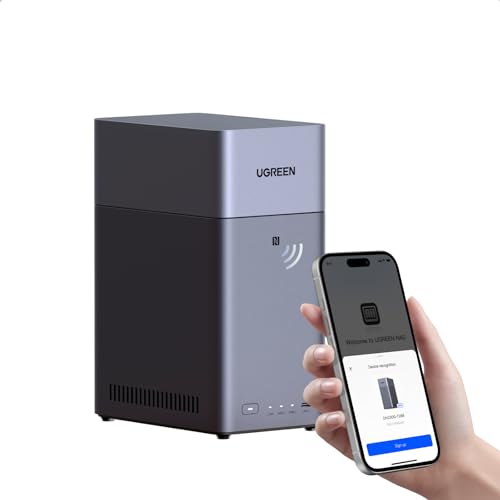
2. UGREEN NAS DH2300 — Beginner-Focused NAS
The UGREEN DH2300 is specifically positioned for beginners and personal users who want centralized storage without immediately moving into enthusiast-level NAS hardware. Its two-bay diskless design includes 4GB of onboard memory and supports uses such as phone backup, multi-device backup, file sharing, private-cloud access, remote access, and home entertainment.
Its simpler positioning makes it particularly appropriate for households moving away from scattered external drives or recurring cloud-storage dependence.
Why it wins: It focuses directly on the core personal-cloud tasks most first-time NAS owners are likely to need.
Pros
- Two-bay design suited to home use
- 4GB onboard memory
- Phone and multi-device backup features
- Private-cloud and remote-access functions
- AI album features for photo organization
Cons
- Less suited to demanding power-user workloads
- Only two drive bays
Trade-offs / Who should skip: Advanced users planning extensive containers, heavy media workloads, or very fast networking should move up to the DXP2800, DXP4800 Pro, or another higher-performance option.
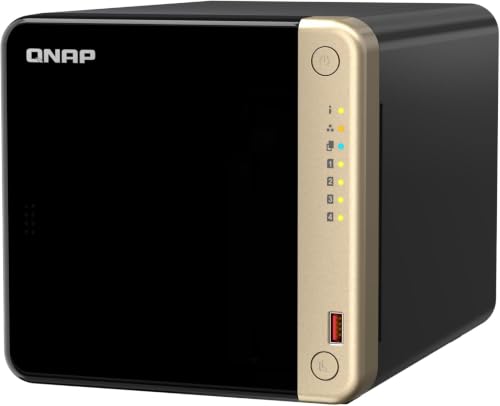
3. QNAP TS-464-8G — Plex and Media Serving
The QNAP TS-464-8G is built around an Intel Celeron N5105/N5095 processor with integrated graphics, 8GB of DDR4 memory, four SATA drive bays, dual 2.5GbE ports, and two M.2 NVMe slots. That combination gives media-focused users more storage flexibility than a two-bay NAS while also supporting hardware-assisted media workloads.
Four drive bays are particularly useful for a growing movie or TV library, while the networking and NVMe options provide room to improve transfer and storage performance.
Why it wins: Intel graphics, four SATA bays, dual 2.5GbE, and NVMe expansion make it a particularly well-rounded platform for a substantial home media server.
Pros
- Intel processor with integrated graphics
- Four SATA drive bays
- Dual 2.5GbE networking
- Two M.2 NVMe slots
- Strong expansion potential
Cons
- QTS requires more configuration than a basic beginner NAS
- Plex hardware acceleration may require an appropriate Plex subscription
Trade-offs / Who should skip: Choose a simpler two-bay NAS if your main needs are backups and photo storage. Buyers focused on much faster networking or heavier virtualized workloads should consider the DXP4800 Pro or LincStation N2.
4. ASUSTOR AS5404T — SATA and NVMe Expansion
The ASUSTOR AS5404T combines four conventional drive bays with four M.2 NVMe SSD slots, giving users considerably more storage-layout flexibility than a typical two-bay home NAS. It also includes an Intel quad-core 2.0GHz processor, 4GB of DDR4 memory, and two 2.5GbE network ports.
That mix makes it especially interesting for users who want traditional hard-drive capacity while retaining substantial room for NVMe storage.
Why it wins: Four SATA bays plus four M.2 slots give it one of the most flexible combinations of hard-drive and solid-state storage in this lineup.

Pros
- Four conventional drive bays
- Four M.2 NVMe slots
- Intel quad-core processor
- Dual 2.5GbE networking
- 4GB DDR4 memory
Cons
- More expensive than basic two-bay systems
- Extra expansion options may be unnecessary for simple backup use
Trade-offs / Who should skip: Buyers who only need basic household backups can save money with a simpler two-bay system. Choose the LincStation instead if 10GbE and a more DIY-oriented platform are bigger priorities.
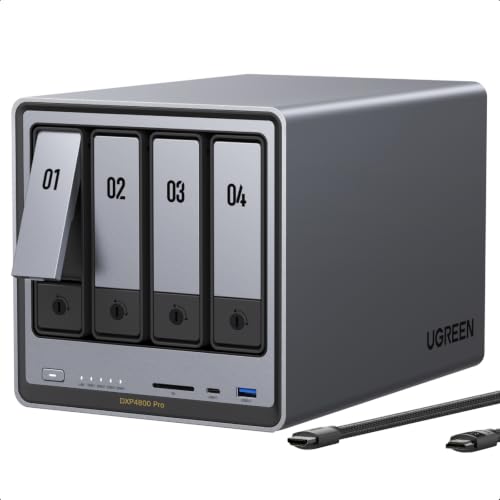
5. UGREEN NASync DXP4800 Pro — Power-User NAS
The UGREEN DXP4800 Pro steps up to an Intel Core i3-1315U processor, four SATA bays, 8GB of DDR5 memory, dual M.2 NVMe slots, and both 10GbE and 2.5GbE networking. Its memory can also be expanded as workloads become more demanding.
The stronger processor and networking make it better suited to large transfers, containers, virtual machines, creative work, and other workloads that go beyond basic household backup duties.
Why it wins: Its combination of Core i3 processing power, expandable memory, four drive bays, NVMe expansion, and 10GbE gives demanding users substantial performance headroom.
Pros
- Intel Core i3-1315U processor
- Four SATA drive bays
- 10GbE plus 2.5GbE networking
- Two M.2 NVMe slots
- Expandable DDR5 memory
Cons
- Costs more than a mainstream personal NAS
- 10GbE requires compatible network hardware to realize its potential
Trade-offs / Who should skip: It is excessive for simple phone backups and document storage. The DXP2800 provides a more economical balance for typical household use.
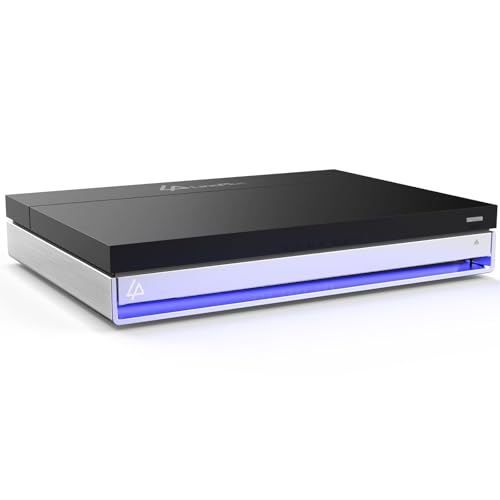
6. LincStation N2 6-Bay NAS Server — DIY NAS Platform
The LincStation N2 takes a more enthusiast-oriented approach with an Intel N100 processor, 16GB of LPDDR5 memory, 10GbE networking, two SATA bays, and four M.2 NVMe slots. Its six storage positions therefore combine conventional drives with solid-state storage rather than offering six traditional hard-drive bays.
It is also positioned for Docker, Plex, private-cloud applications, and DIY NAS use, and includes an Unraid Starter license. That makes it particularly appealing to users who want more control over how their storage server is configured.
Why it wins: Few options here combine 10GbE, 16GB of memory, SATA storage, four NVMe slots, and a clearly DIY-oriented NAS platform.
Pros
- Intel N100 processor
- 16GB LPDDR5 memory
- 10GbE networking
- Four M.2 NVMe slots plus two SATA bays
- Includes an Unraid Starter license
Cons
- More hands-on than a conventional appliance-style NAS
- Only two of its six storage positions are SATA bays
Trade-offs / Who should skip: First-time NAS users wanting the simplest possible setup should choose the DH2300 or DXP2800. This model makes more sense for enthusiasts comfortable configuring their own storage environment.
7. BUFFALO TeraStation Essentials 2025 24TB — Preconfigured High-Capacity NAS
The BUFFALO TeraStation Essentials 2025 takes a different approach from the diskless systems above. This configuration includes four 6TB hard drives across its four bays, providing 24TB of installed raw storage without requiring buyers to select and purchase four separate disks before setup.
That makes it attractive for users who want substantial capacity in a more complete package rather than building a NAS drive by drive.
Why it wins: Four included 6TB drives make it the easiest high-capacity option in this lineup for buyers who want storage hardware supplied together.

Pros
- 24TB of installed raw capacity
- Four-bay design
- Includes four 6TB hard drives
- No separate initial drive purchase required
- Better suited to large storage needs than basic two-bay systems
Cons
- High upfront purchase price
- Less attractive if you already own compatible NAS drives
Trade-offs / Who should skip: Choose a diskless system if you want to select your own drives, expand capacity gradually, or reuse existing storage. Buyers who need only a few terabytes of backups do not need this much installed capacity.
Quick Compare
- UGREEN NASync DXP2800: balanced personal NAS.
- UGREEN NAS DH2300: beginner-focused NAS.
- QNAP TS-464-8G: Plex and media serving.
- ASUSTOR AS5404T: SATA and NVMe expansion.
- UGREEN NASync DXP4800 Pro: power-user NAS.
- LincStation N2: DIY NAS platform.
- BUFFALO TeraStation Essentials 2025 24TB: preconfigured high-capacity NAS.
Final Verdict
The UGREEN DXP2800 is the most balanced choice for a typical personal cloud because it combines capable Intel hardware, 8GB of memory, 2.5GbE networking, and NVMe expansion without requiring a larger four-bay enclosure.
The DH2300 is the easier starting point for beginners, while the QNAP TS-464 is better suited to a growing Plex or media library. The ASUSTOR AS5404T stands out when both SATA and NVMe expansion matter, and the DXP4800 Pro is the stronger choice for demanding applications and 10GbE workflows.
Enthusiasts who want a more configurable DIY platform should look at the LincStation N2, while the 24TB BUFFALO TeraStation is the most straightforward option for buyers who want a substantial amount of storage already installed.