
Best Budget 3D Printers (2026): 5 Affordable Picks That Actually Print Well
Brighter Picks guide
Best Budget 3D Printers (2026): 5 Affordable Picks That Actually Print Well
As an Amazon Associate I earn from qualifying purchases.
Products in this guide

Check the model, seller and latest price on Amazon.
In this guide
Top picksCreality Ender-3 V3 SE — Best for first-time FDM buyersBambu Lab A1 — Best “just works” value (low-tuning)Bambu Lab A1 mini — Best for small desks & dorm roomsSovol SV06 ACE — Best “speed-forward” budget optionELEGOO Neptune 4 Max — Best big build volume on a budgetQuick compareFAQsIf you’re shopping “budget,” the two things that usually decide whether you’ll love (or hate) your first printer are auto-bed leveling reliability and how much print space you get. For scoring, I used build volume (mm) as my primary metric because it’s the clearest “capability per dollar” lever.
How I researched
I compared recent entry-level printer roundups and current manufacturer spec pages, prioritized build volume, auto-leveling, and “first-week success” features, checked ecosystem/part availability, and weighed performance vs. ownership friction (tuning, noise, maintenance).
Top picks
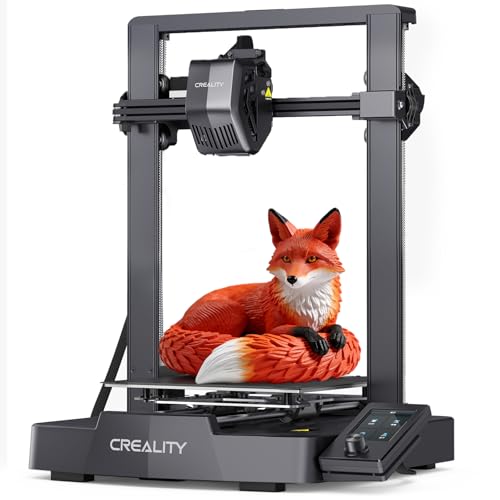
Creality Ender-3 V3 SE — Best for first-time FDM buyers
A beginner-friendly “classic bed-slinger” with a solid 220×220×250 mm build volume. Why it wins: huge community + a straightforward setup path for the money.
Pros
- Common “starter” size: 220×220×250 mm
- Lots of profiles, mods, and troubleshooting info online
- Good long-term parts availability (popular platform)
Cons
- Still benefits from tinkering
- Open-frame: drafts can mess with ABS-type filaments
Social proof: See reviews on Amazon.
Who should skip: If you want “appliance-like” printing with minimal tuning, skip to Bambu A1.
Scores: Performance 4/5 • Build volume 4/5 • Ease of use 3.5/5 • Value 4.5/5
Bambu Lab A1 — Best “just works” value (low-tuning)
If your goal is to print more and tweak less, A1 is one of the most beginner-friendly routes, with a larger 256×256×256 mm build volume than many entry models. Why it wins: automation + ecosystem that reduces calibration headaches.
Pros
- Big for the class: 256×256×256 mm
- Strong quality-of-life automation (less “printer babysitting”)
- Great if you’ll print frequently (projects, school clubs, cosplay parts)
Cons
- More “ecosystem” than open-tinker platforms
- Replacement parts/accessories can be brand-specific
Social proof: See reviews on Amazon.
Who should skip: If you love modding and open-source tinkering, you may prefer Ender/Sovol.
Scores: Performance 4.5/5 • Build volume 4.5/5 • Ease of use 4.5/5 • Value 4/5
Bambu Lab A1 mini — Best for small desks & dorm rooms
A compact pick with 180×180×180 mm build volume—enough for minis, brackets, gadgets, and small functional parts. Why it wins: space savings while keeping a beginner-friendly workflow.

Pros
- Small footprint-friendly build volume: 180×180×180 mm
- Great “starter printer” size for learning slicer basics fast
- Easy to justify if you’re unsure how deep you’ll go into 3D printing
Cons
- Limited size for helmets/large cosplay parts
- You’ll split big prints into multiple pieces more often
Social proof: See reviews on Amazon.
Who should skip: If you know you want big props or large prototypes, go A1 or Neptune 4 Max.
Scores: Performance 4/5 • Build volume 3/5 • Ease of use 4.5/5 • Value 4/5
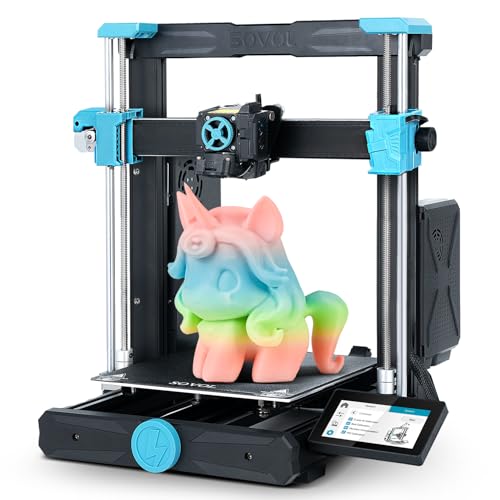
Sovol SV06 ACE — Best “speed-forward” budget option
A budget printer that leans into modern high-speed expectations with 220×220×250 mm build volume. Why it wins: speed-focused features without stepping into premium pricing tiers.
Pros
- Standard, useful build volume: 220×220×250 mm
- Strong value if you care about faster print times
- Good middle ground between “tinker toys” and premium ecosystems
Cons
- High-speed printing can require more dialing-in per filament
- Best results depend on slicer settings and tuning
Social proof: See reviews on Amazon.
Who should skip: If you only print occasionally and want the simplest workflow, A1/A1 mini can be easier.
Scores: Performance 4/5 • Build volume 4/5 • Ease of use 3.5/5 • Value 4/5
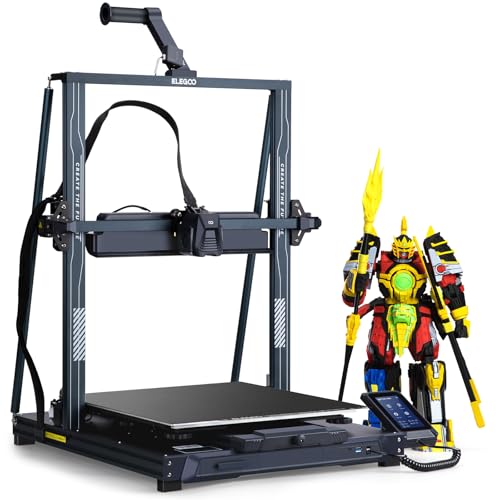
ELEGOO Neptune 4 Max — Best big build volume on a budget
Need sheer size for cosplay pieces, large prototypes, or batch-printing? Neptune 4 Max offers a huge 420×420×480 mm build volume. Why it wins: the most “print big stuff” capability in this roundup.
Pros
- Huge volume: 420×420×480 mm
- Great for large single-piece prints (fewer seams/glue joints)
- Ideal for printing lots of parts at once (production batches)
Cons
- Big printers take more space and longer to heat/stabilize
- Large beds can be less forgiving if your setup isn’t solid
Social proof: See reviews on Amazon.
Who should skip: If you’re in a small room or only print small items, it’s overkill—go A1 mini or Ender.
Scores: Performance 4/5 • Build volume 5/5 • Ease of use 3.5/5 • Value 4/5
Quick compare
- Most beginner-proof: Bambu Lab A1
- Best small-space pick: Bambu Lab A1 mini
- Best classic starter ecosystem: Creality Ender-3 V3 SE
- Best “speed on a budget” vibe: Sovol SV06 ACE
- Best for huge prints: ELEGOO Neptune 4 Max
FAQs
What’s the best budget 3D printer for a total beginner?
If you want the smoothest start with the least tuning, I’d pick Bambu Lab A1.
Is a bigger build volume always better?
Not always. Bigger printers take more space, can be harder to keep stable, and large beds can be more sensitive. Go big only if you’ll actually print big parts.
What filament should I start with?
Start with PLA. It’s the most forgiving for open-frame budget printers.