
Best Linux Laptops and What You Are Actually Buying
Brighter Picks guide
Best Linux Laptops and What You Are Actually Buying
As an Amazon Associate I earn from qualifying purchases.
Products in this guide
Check the model, seller and latest price on Amazon.
Search this category and almost nothing you find is a Linux laptop in the sense you probably mean. The companies that build hardware around Linux and support it directly do not sell through this retailer, and their name shows up here only as a suggested search. What you get instead are ordinary Windows machines that a third party has wiped and loaded with Ubuntu or Mint, resold at a markup, with review counts in the single digits or low teens rather than the hundreds. That is not automatically a bad purchase, but it does change the question. What decides whether a laptop runs Linux well is the hardware inside it, so I score these on Linux hardware support. Two rules cover most of it: Intel and AMD graphics work out of the box while NVIDIA needs a proprietary driver, and Intel wireless cards are painless while some Broadcom ones still are not.
Top picks
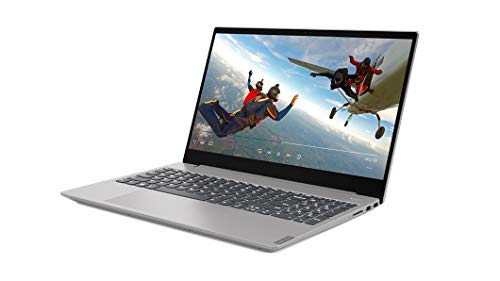
Lenovo IdeaPad Slim 3 with Ubuntu, Ryzen 7 5825U — Best hardware match
No products found.
Why it wins: An all-AMD machine, which is the easiest combination Linux can be handed. Ryzen processors and Radeon integrated graphics are supported by drivers built into the kernel itself, so there is nothing to install, nothing to blacklist and nothing that breaks on a kernel update. It arrives with Ubuntu already running.
Pros
- AMD graphics are supported in-kernel with no proprietary driver
- Ubuntu preinstalled, so it boots to a working desktop
- 16GB RAM and a 1TB SSD is a generous working spec
- Ships with extras including an external SSD and hub
Cons
- Sold by a reseller rather than Lenovo, at a markup over the Windows version
- Sixteen reviews is almost no evidence to go on
- No manufacturer Linux support if something does not work
- The bundled accessories inflate the price more than they add
Social proof: See rating and reviews on Amazon.
Trade-offs and who should skip: The hardware choice is right and you are paying someone to run an installer. Skip it if you are comfortable installing Ubuntu yourself, which takes twenty minutes. Skip it if a tiny review base worries you.
Scores: Performance 4/5 | Linux hardware support 5/5 | Ease of use 5/5 | Value 2/5
Lenovo Business Laptop with Linux Mint, i5-1335U — Best for newcomers
Why it wins: Linux Mint Cinnamon is the friendliest landing place for anyone arriving from Windows, because the desktop works the way they already expect rather than asking them to relearn everything. Paired with Intel processor graphics, which have the longest and least dramatic Linux support history of any GPU.
Pros
- Mint Cinnamon is the gentlest transition from Windows
- Intel graphics need no third-party driver
- 16GB RAM for comfortable multitasking
- Highest rating among the preinstalled machines here
Cons
- 256GB SSD is tight once you keep any media locally
- Nine reviews
- Reseller build, so warranty and support are unclear
Social proof: See rating and reviews on Amazon.
Trade-offs and who should skip: A good distro choice on modest storage. Skip it if you store photos or video locally. Skip it if you would rather choose your own distribution.
Scores: Performance 4/5 | Linux hardware support 5/5 | Ease of use 5/5 | Value 3/5
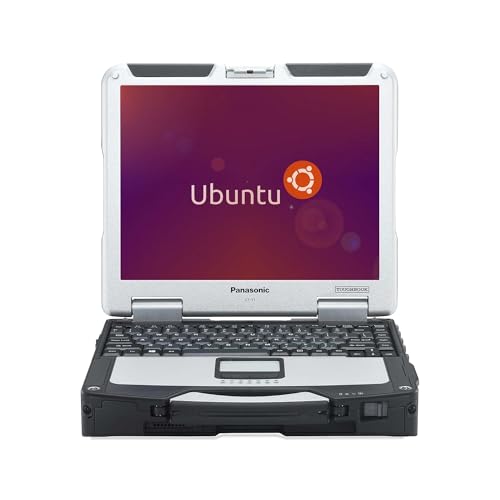
Panasonic Toughbook CF-31 MK5 with Ubuntu, Renewed — Best cheap Linux machine
Why it wins: Older hardware is better supported hardware, which is the one place Linux inverts the usual buying logic. Every component in a machine this age has had a decade of driver work behind it, so nothing is going to be unsupported. It is also genuinely rugged, and costs less than the markup on the newer rebuilds.
Pros
- A decade of driver maturity means everything works
- Rugged construction built for field use
- Cheapest way into a working Linux laptop here
- Touchscreen and 4G modem included
Cons
- A 5th-generation Intel processor is slow by current standards
- Renewed condition, so wear varies between units
- Heavy and thick compared with any modern laptop
- The lowest rating on this page
Social proof: See rating and reviews on Amazon.
Trade-offs and who should skip: Perfect compatibility on hardware that is genuinely old. Skip it if you need current performance for compiling or video. Skip it if you carry a laptop all day, because this one is a brick.
Scores: Performance 2/5 | Linux hardware support 5/5 | Ease of use 4/5 | Value 5/5
Dell 15.6 inch, Intel Core 3 100U — Best value if you install it yourself

Why it wins: Mainstream Dell hardware with Intel graphics and Intel Wi-Fi 6, which is about as safe a Linux combination as exists, at a fraction of what the rebuilt machines cost. It ships with Windows, and installing Ubuntu over it is a twenty minute job that saves the reseller markup entirely.
Pros
- Hundreds of reviews rather than a handful
- Intel graphics and Intel wireless, both trouble-free on Linux
- Costs far less than the preinstalled rebuilds
- Mainstream model, so community documentation exists
Cons
- You do the installation, and you are paying for a Windows licence you discard
- 8GB RAM is the floor for comfortable use
- No Linux support from Dell on this model
Social proof: See rating and reviews on Amazon.
Trade-offs and who should skip: Twenty minutes of work against a substantial saving. Skip it if you want it working out of the box. Skip it if you never want to touch a bootable USB stick.
Scores: Performance 3/5 | Linux hardware support 5/5 | Ease of use 3/5 | Value 5/5
Acer Aspire Go 15 — Cheapest route in
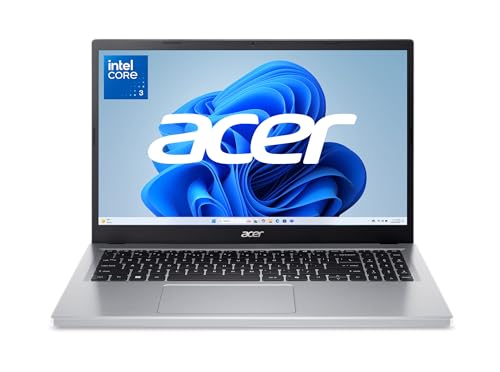
Why it wins: The lowest cost machine here with Intel graphics, and a large enough review base to know what you are getting. Linux is markedly lighter than Windows on modest hardware, so a laptop that feels sluggish in its shipped state often feels fine once a lightweight desktop is on it.
Pros
- Cheapest on this page with a real review base
- Intel graphics, supported without extra drivers
- Linux runs better than Windows on hardware this modest
Cons
- 128GB of UFS storage is very small and slower than a proper SSD
- Ships in Windows S Mode, which you must leave before doing anything
- Entry-level processor
- You install Linux yourself
Social proof: See rating and reviews on Amazon.
Trade-offs and who should skip: Cheap hardware that Linux improves. Skip it if 128GB would not hold your files. Skip it if you want performance rather than a light second machine.
Scores: Performance 2/5 | Linux hardware support 4/5 | Ease of use 3/5 | Value 5/5
Quick compare
- Best hardware match: Lenovo IdeaPad Slim 3, all AMD, reseller markup
- Friendliest: Lenovo with Linux Mint, small SSD
- Cheapest working machine: Toughbook CF-31 renewed, genuinely old and heavy
- Best value: Dell 15.6, install it yourself and save the markup
- Lowest cost: Acer Aspire Go 15, tiny storage
Before you buy anything here, check two things on the listing. Find the wireless chipset if it is stated, because that is still the component most likely to need work, and check whether there is a discrete NVIDIA GPU, which is manageable but is the thing most likely to complicate a fresh install. And if you want a machine where the manufacturer tests and supports Linux themselves, those vendors sell direct rather than through this retailer, which is worth knowing before you pay a rebuild premium here.