
Best Tablets for College Students
Brighter Picks guide
Best Tablets for College Students
As an Amazon Associate I earn from qualifying purchases.
Products in this guide


Check the model, seller and latest price on Amazon.
In this guide
Top picksApple iPad Air M2 — Best for note-takingSamsung Galaxy Tab S10 FE — Best Android tabletMicrosoft Surface Pro 11 — Best for full laptop replacementApple iPad (10th gen) — Best budget iPadLenovo Tab P12 — Best budget AndroidA college tablet needs to handle note-taking with a precise stylus, run academic PDFs and lecture recordings without crashing, and last through a full class day on battery. I looked for strong stylus support, good Office and Notability app ecosystems, and displays big enough for split-screen study.
How I researched
I compared stylus accuracy and refresh rates from OEM spec sheets, read r/college and r/iPad threads for real-world note-taking feedback, and cross-referenced Chromebook and ChromeOS tablet reviews on Ars Technica for academic use patterns. Amazon US listings confirmed current availability and owner-reported battery life in class settings.
Top picks
Apple iPad Air M2 — Best for note-taking
The M2 chip handles any academic workload, the 11″ display fits split-screen comfortably, and Apple Pencil Pro integration delivers the most precise stylus note-taking in the category.
Why it wins: Apple Pencil Pro palm rejection and pixel-level accuracy is best-in-class for handwritten notes.
Pros
- Best-in-class Apple Pencil Pro note-taking
- M2 chip handles any academic software
- Wide app ecosystem with Notability and GoodNotes
Cons
- Pencil Pro sold separately
- Premium price vs. Android alternatives
Social proof: See reviews on Amazon
Trade-offs / who should skip: Budget students should look at the standard iPad or Galaxy Tab. Windows-ecosystem students may prefer Surface.
Scores: Stylus 5/5 | Performance 5/5 | Ease of use 5/5 | Value 4/5
Samsung Galaxy Tab S10 FE — Best Android tablet
The Galaxy Tab S10 FE includes the S Pen in the box and runs the full Samsung DeX desktop-style interface for productivity. Solid build at a midrange price.
Why it wins: Includes S Pen in the box — no extra stylus purchase needed.

Pros
- S Pen included in the box
- Samsung DeX desktop-style productivity
- Strong Android ecosystem for note-taking
Cons
- Samsung Notes ecosystem narrower than Apple
- Slightly heavier than iPad Air
Social proof: See reviews on Amazon
Trade-offs / who should skip: iOS-first students should stick with iPad. Professional creators may want more pro-grade apps.
Scores: Stylus 4/5 | Performance 4/5 | Ease of use 5/5 | Value 5/5
Microsoft Surface Pro 11 — Best for full laptop replacement
Surface Pro 11 runs full Windows 11, making it a genuine laptop replacement for engineering and business majors. Snapdragon X Elite silicon plus LTE options cover the classroom.
Why it wins: Full Windows 11 runs the exact software engineering and business programs require.

Pros
- Full Windows 11 software compatibility
- Detachable keyboard doubles as laptop
- Snapdragon X Elite for efficiency
Cons
- Keyboard and pen sold separately
- ARM chip has some software compatibility gaps
Social proof: See reviews on Amazon
Trade-offs / who should skip: Students needing x86 Windows compatibility should check software compatibility. iPad ecosystem fans won’t want Windows.
Scores: Laptop Replacement 5/5 | Performance 5/5 | Ease of use 4/5 | Value 3/5
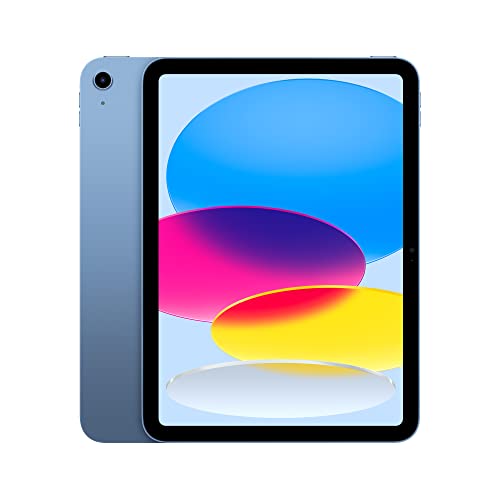
Apple iPad (10th gen) — Best budget iPad
The standard 10th-gen iPad covers basic note-taking, PDF reading, and lecture recording. Compatible with the standard Apple Pencil (1st gen) for budget-friendly notes.
Why it wins: Cheapest entry to the iPad ecosystem with Apple Pencil compatibility.
Pros
- Budget-friendly entry to iPad
- Full iPad OS app library
- Apple Pencil (1st gen) support
Cons
- Only 1st-gen Pencil supported
- No laminated display
Social proof: See reviews on Amazon
Trade-offs / who should skip: Serious note-takers should stretch for iPad Air with Pencil Pro. Pro-level creators need more performance.
Scores: Value 5/5 | Note-taking 4/5 | Ease of use 5/5 | Performance 3/5
Lenovo Tab P12 — Best budget Android
The Tab P12 ships with a tablet pen at a sub-$350 price. Large 12.7″ display fits split-screen note-taking, and Lenovo’s ecosystem handles basic academic work.
Why it wins: Large 12.7″ display is bigger than iPad Air at half the price.

Pros
- Large 12.7″ display
- Tab pen included
- Affordable pricing
Cons
- Android tablet ecosystem less refined than iPad
- Mid-tier Dimensity chipset
Social proof: See reviews on Amazon
Trade-offs / who should skip: Heavy app users will hit performance limits. Premium-seekers should look at Samsung Galaxy Tab S10+.
Scores: Display Size 5/5 | Value 5/5 | Ease of use 4/5 | Performance 3/5
Quick compare
- Best overall: iPad Air M2
- Best budget: iPad (10th gen)